What Artwork Files Do I Need for Signs? A Complete Guide to Supplying Signage Artwork
You've approved your new sign, vehicle graphics or wall display and your sign company asks:
“Can you send us the artwork?”
That sounds straightforward until you're asked for a vector file, high-resolution image, outlined fonts, Pantone colour or print-ready PDF.
And increasingly we're seeing another situation:
“I've created the design using AI—can't you just make the sign from that?”
Sometimes we can. Sometimes what you've supplied is an excellent visual reference, but it isn't actually production-ready artwork.
So what files does a sign company really need?
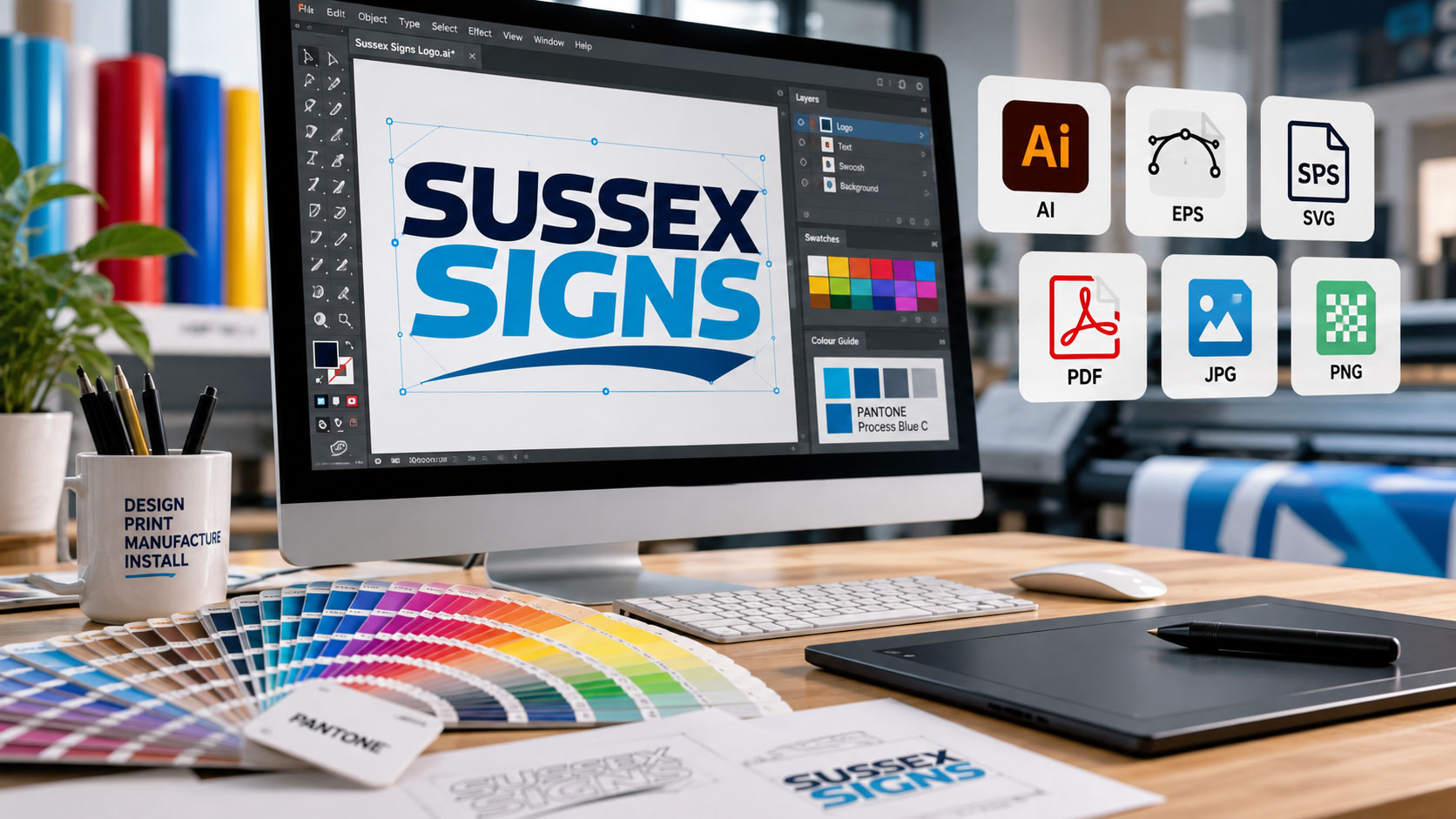
The short answer: for logos, lettering and shapes, a genuine vector file such as AI, EPS, SVG or vector PDF is normally best. Photographs and other pixel-based imagery can be supplied as high-resolution raster files such as TIFF, PSD, PNG or JPEG, provided they contain enough resolution for the final size. Fonts, colours, dimensions and bleed may also need to be supplied correctly.
If none of that means anything to you, don't worry. This guide explains exactly what we mean.
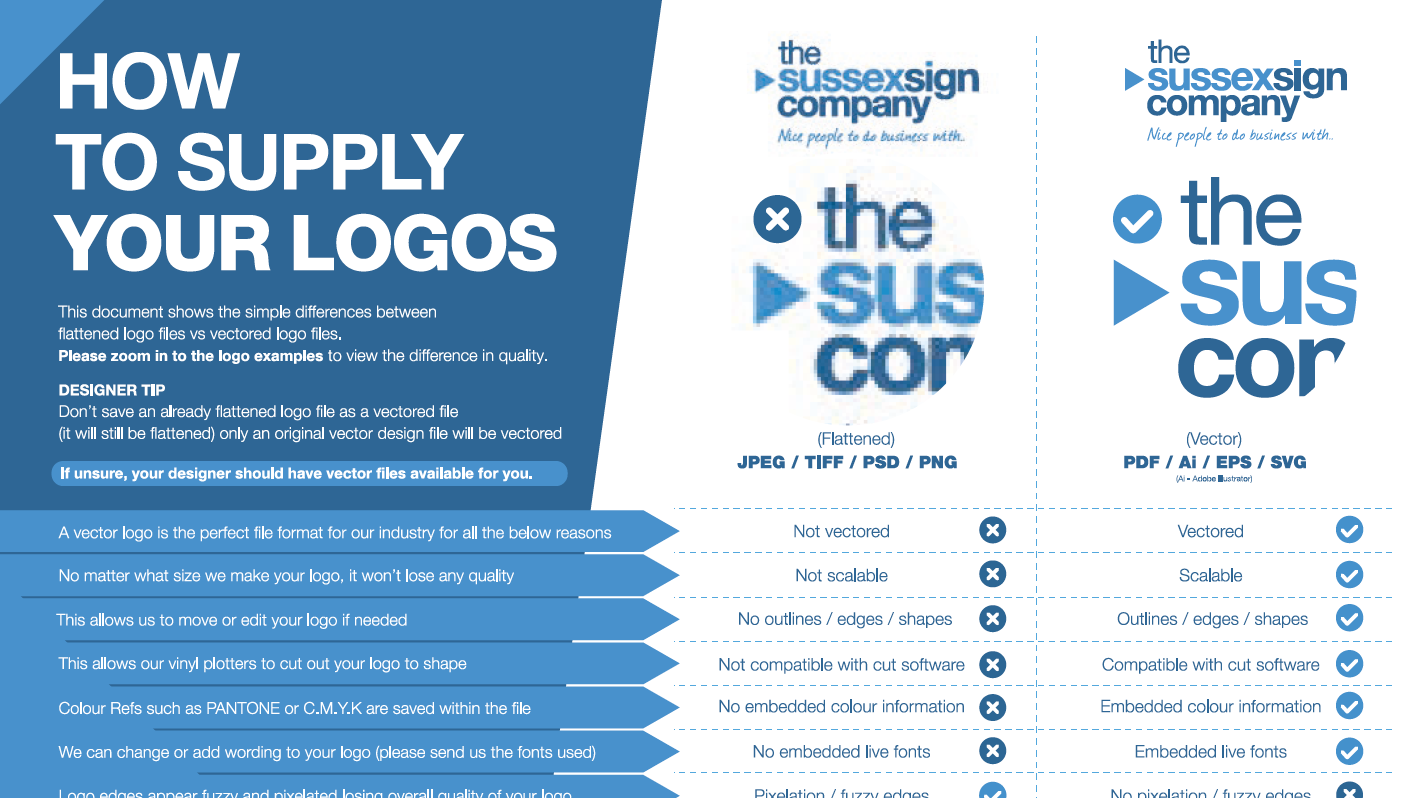
Click on the image below to view the full PDF.
What Does “Artwork” Mean in Sign Making?
When we ask for artwork, we don't simply mean a picture showing us what you'd like the sign to look like.
Production artwork contains the information our designers, printers and manufacturing equipment need to reproduce your branding accurately.
Depending on the sign, that might include:
- Your logo
- Exact wording
- Fonts
- Brand colours
- Photographs
- Illustrations
- Dimensions
- Cut lines
- Shapes
- Bleed
- Scale
- Positioning
A screenshot or AI visual may show us the idea perfectly while containing very little of that underlying production information.
That's an important distinction.
What Is the Best File Format for Signage?
For most logos, lettering and graphic elements, vector artwork is preferable.
Typical vector formats include:
- AI – Adobe Illustrator
- EPS – Encapsulated PostScript
- SVG – Scalable Vector Graphics
- PDF – provided the original artwork within the PDF is genuinely vector
The last point is important.
A PDF Isn't Automatically a Vector File
Putting a low-resolution JPEG into a PDF does not magically convert it into vector artwork.
The image is still made from pixels—it has simply been placed inside a different file format.
The same principle applies if somebody takes a JPEG logo and saves it with another extension.
Changing the filename doesn't change the artwork.
What Is Vector Artwork?
Vector graphics are created using mathematically defined lines, curves and shapes rather than a fixed grid of pixels.
That means we can make the artwork:
50mm wide
or
5 metres wide
without the edges becoming pixelated simply because we've enlarged it.
That makes vector artwork particularly useful for signage because the same logo might eventually be used on:
- A reception sign
- A shop fascia
- A van
- A large building sign
- Window graphics
- Directional signs
- Exhibition displays
Vector artwork also gives us defined shapes that production equipment can work with.
Why Does a Sign Maker Need Vector Artwork?
Sign production isn't always simply printing an image.
We may need to:
- Cut individual vinyl letters
- Router-cut acrylic
- Cut aluminium composite
- Manufacture built-up lettering
- Produce stencil-cut panels
- Create cut paths around logos
- Separate individual colours
- Reposition elements of a design
Those processes require defined edges and shapes.
A tiny JPEG of your logo may look perfectly acceptable in an email signature but doesn't contain the same usable information as the original vector artwork.
Can I Send a JPEG or PNG Logo?
Yes – send us what you've got.
But a JPEG or PNG may not be suitable as the final production file.
JPEG and PNG images are raster graphics. They consist of individual pixels.
A good-quality, sufficiently large raster image can be perfectly suitable for certain types of printing, particularly photographs.
The problem occurs when a small image needs to become a large sign.
Imagine taking an image designed to be 500 pixels wide on a website and enlarging it until it is several metres across.
Eventually you'll begin to see:
- Soft edges
- Pixelation
- Compression artefacts
- Blurred text
- Poor detail
You can't create detail that wasn't contained in the original image simply by making the file bigger.
Can You Make a Sign From a Screenshot?
A screenshot is usually best regarded as a reference, not production artwork.
It can be extremely useful because it shows us:
- What you're trying to achieve
- The approximate colours
- The layout
- Your preferred appearance
But screenshots are normally produced at screen resolution and may not contain usable vector shapes, fonts or accurate colour information.
If you send us a screenshot, also send the original logo or artwork files if you have them.
Can I Use an AI-Generated Image to Make a Sign?
This is becoming one of the most important questions we receive.
AI is fantastic for developing ideas and visualising concepts.
You might ask an AI image generator to show you:
- A new shop fascia
- A reception sign
- Vehicle graphics
- A wall graphic
- A completely new logo concept
The resulting image might look incredibly realistic.
But:
A realistic AI render isn't necessarily production artwork.
Why Not?
Many AI-generated images are delivered as raster images such as JPEGs or PNGs.
They tell us what something looks like, but don't necessarily give us:
- Editable vector paths
- Accurate fonts
- Exact dimensions
- Separate logo elements
- Pantone colours
- Cut paths
- Production layers
- Correct bleed
- Sufficient resolution at final size
Does That Mean AI Artwork Is Useless?
Absolutely not.
It can be an excellent starting point.
If you show our design team an AI visual and say:
“This is the look I'm trying to achieve,”
that's genuinely helpful.
We can then establish what production artwork exists and what may need recreating properly.
Some modern tools can also produce or export vector artwork. But an SVG extension alone still doesn't guarantee that the design is production-ready—we need to inspect the artwork itself.
The safest approach is:
Send us the AI concept plus every original brand file you have.
What If AI Created My Logo?
This requires particular care.
If the only version of your logo is a small AI-generated image, we may need to redraw or recreate the logo as genuine vector artwork.
That isn't needless bureaucracy.
Creating a proper master logo file gives your business an asset that can subsequently be used consistently for:
- Signs
- Vehicles
- Workwear
- Websites
- Banners
- Exhibitions
- Promotional material
If somebody originally designed your logo professionally, it's worth asking them for the original vector files before paying for it to be recreated.
Where Can I Find My Vector Logo?
Customers often tell us:
“I don't have a vector logo.”
Quite often, they actually do, they just don't know where it is.
Try asking:
- The graphic designer who created your logo
- Your branding agency
- Your website designer
- Your previous sign company
- Your printer
- Your workwear/embroidery supplier
- Your marketing company
Ask specifically for:
AI, EPS, SVG or vector PDF artwork.
The original designer will often have it.
That's one of the points made in the accompanying video: before paying to recreate something, go back to the person who originally produced your branding and ask whether they still have the source artwork.
What Resolution Should Photographs Be?
Photographs are different from logos.
A photograph naturally consists of pixels, so we're not expecting it to be a vector file.
What matters is whether there are enough pixels for the size at which it will be reproduced.
You'll often see resolution described in DPI—dots per inch.
There is, however, an important large-format distinction.
A photograph viewed from 30cm away needs more effective resolution than a huge building graphic normally viewed from across a car park.
So our advice is deliberately simple:
Send us the highest-quality original photograph you have and tell us its intended use.
We'll check it.
Can a Low-Resolution Photograph Just Be Upscaled?
Software and AI upscaling can sometimes improve the appearance of an image.
But it isn't the same thing as having the original high-resolution photograph.
If an important photograph exists in high resolution, always obtain the original rather than relying on a downloaded web copy or screenshot.
Don't Download Your Logo From Your Website
This catches people out frequently.
You may think:
“My logo is on our website. I'll just save that.”
Website images are deliberately optimised to load quickly.
They may therefore be:
- Reduced in dimensions
- Compressed
- Rasterised
- Lower resolution than the original
The version displayed online may be absolutely fine for a 250-pixel logo on a webpage but completely unsuitable for a three-metre shop fascia.
Find the original artwork whenever possible.
What About Images From Google?
Finding an image on Google doesn't make it suitable for signage.
There are two separate issues.
Quality
The preview you find may be low resolution and unsuitable for large-format printing.
Copyright
The image may belong to somebody else.
For commercial signage, use photographs and illustrations you own, have commissioned, or have appropriately licensed.
Professional stock-image libraries can be useful when you don't have your own photography.
Should Fonts Be Outlined?
For production-ready vector artwork, we generally prefer text to be converted to outlines, unless editable text is specifically required.
Why?
Because the particular font used in your design may not be installed on another computer.
Without the correct font, software can substitute something else.
Converting text to outlines turns each character into a vector shape, preserving its appearance.
When Should I Supply Font Files?
If we're expected to edit wording, create additional signs or extend an existing brand design, supplying the actual font can be very useful.
For example, you may need:
Reception
changed to:
Meeting Rooms
while retaining exactly the same typeface.
If the text has already been outlined, we can reproduce what exists, but it may not tell us which font was originally used.
Where appropriate, provide:
- Font name
- Licensed font files
- Brand guidelines
What Colour Information Should I Supply?
If your business has defined brand colours, send them.
Useful references include:
- Pantone/PMS references
- CMYK values
- RAL Colours
- Brand guidelines
- Physical colour samples where colour matching is particularly important
What's the Difference Between RGB and CMYK?
RGB means:
Red, Green and Blue
and is primarily used for displaying colour on screens.
CMYK means:
Cyan, Magenta, Yellow and Black
and is the colour system commonly used in printing.
A computer monitor can display colours that cannot be reproduced identically using printing inks.
That's why a very bright RGB colour on screen may look different after conversion to CMYK. Print guidance therefore normally recommends preparing print artwork in CMYK and supplying Pantone references where brand colour accuracy is important.
What Is Bleed?
Bleed is artwork that extends beyond the finished edge of the printed graphic.
Why deliberately make the image too large?
Because cutting is a physical process.
If the artwork ended precisely at the cut line, even a tiny cutting tolerance could leave an unwanted white edge.
Bleed gives us additional image beyond the trim.
Different products and production methods can require different amounts, so when in doubt, ask before setting up the file.
Do I Need to Supply Artwork at Full Size?
Ideally, artwork should either be at final size or supplied at a clearly defined proportional scale.
For very large signs, creating everything at 100% isn't always practical.
You might therefore supply artwork at:
50% scale
or
10% scale
provided the scale is clearly stated and image resolution has been calculated accordingly.
Do I Need to Add Crop Marks?
Not necessarily.
This depends on what we're producing and how the artwork is being processed.
If you're supplying professionally prepared print files, crop marks may sometimes be useful.
For bespoke signage, however, the production requirements can be very different from standard commercial print.
If you're unsure, ask us before adding them.
What Should I Send if I Have Brand Guidelines?
Send them.
Good brand guidelines can save a considerable amount of guesswork because they may specify:
- Logo versions
- Clear space
- Pantone colours
- CMYK colours
- Fonts
- Minimum logo sizes
- Correct and incorrect logo usage
This is especially valuable when we're creating a family of business signs, office signs, vehicle graphics, window graphics or wayfinding signs that all need to look consistent.
What If I Don't Have Proper Artwork?
This is important:
You don't need to understand all of this before contacting us.
If all you have is:
- A business card
- JPEG
- Screenshot
- Old sign photograph
- AI-generated visual
- Website
- Rough sketch
send it to us.
We'll tell you what can be used, what might be recoverable and what needs recreating.
The difference is that we don't want customers assuming that a visual representation and production-ready artwork are the same thing.
Sometimes they are.
Sometimes they're very different.
Will The Sussex Sign Company Check My Artwork?
Yes.
Before artwork goes into final production, it needs to be checked for its intended application.
That may include considerations such as:
- Dimensions
- Resolution
- Vector quality
- Fonts
- Colours
- Bleed
- Cut paths
- Layout
- Production suitability
Quick Artwork Checklist
Frequently Asked Questions About Supplying Artwork for Signs
Can I send a JPEG to a sign company?
Yes. Send the best version you have. A JPEG can be perfectly suitable for photographs, but a small JPEG logo may need replacing with vector artwork or recreating before manufacture.
Is a PNG a vector file?
Usually no. PNG is a raster image format made from pixels.
Is a PDF always vector?
No. A PDF can contain genuine vector artwork, raster images, or a combination of both.
What file format is best for a logo on a sign?
AI, EPS, SVG or a genuine vector PDF are generally the most useful formats because the logo can be scaled and its shapes remain defined.
Can you make a sign from an AI-generated image?
Potentially, yes—but an AI visual may need artwork preparation, redrawing or vectorisation before it can be manufactured. Treat it as a concept until its production suitability has been checked.
Can you convert my JPEG logo into vector artwork?
In many cases a relatively simple logo can be professionally redrawn or recreated as vector artwork. Complexity and quality of the reference determine what's involved.
What DPI should artwork for signage be?
It depends on whether the artwork is raster or vector, the finished size and normal viewing distance. Send the highest-resolution original you have and we can assess it for the intended application.
Should artwork be CMYK or RGB?
For printed signage, CMYK is normally appropriate. If brand colours are critical, supplying Pantone references is also valuable.
How much bleed do I need for signage artwork?
It varies by product and production process. Our general artwork guidance asks for 20mm, but check the requirements for your specific project before preparing the artwork.
What if I don't understand any of these terms?
Send us what you have.
Our design team can check your files and tell you exactly what is needed.
Need Help Preparing Artwork for Your Sign?
The purpose of artwork requirements isn't to make ordering signs complicated.
It's the opposite.
Good artwork helps us produce a cleaner, more accurate finished sign, reduces avoidable delays and helps ensure your branding looks just as professional at three metres wide as it does on your laptop.
And with AI making professional-looking mock-ups easier than ever to create, it's particularly important to understand the distinction between:
“This is what I'd like it to look like”
and
“This file contains everything required to manufacture it.”
Both can be incredibly useful, they simply serve different purposes.
At The Sussex Sign Company, our Graphic Design Team can work with supplied professional artwork, collaborate with your existing designer or help turn your ideas and reference material into artwork suitable for production.
If you're not sure whether your files are suitable, send us what you have and we'll check them before your signage goes into manufacture.
Contact us with any questions, such as "What should I put on my sign?".